The last Storefront MCP tool is deprecated. ask_business returns a written answer, not the policy sources.
I already wrote the cart migration off /api/mcp. Catalog and cart tools on that endpoint have been removed. The policy tool is the one that is still there, and it now has a removal date.
What Shopify announced
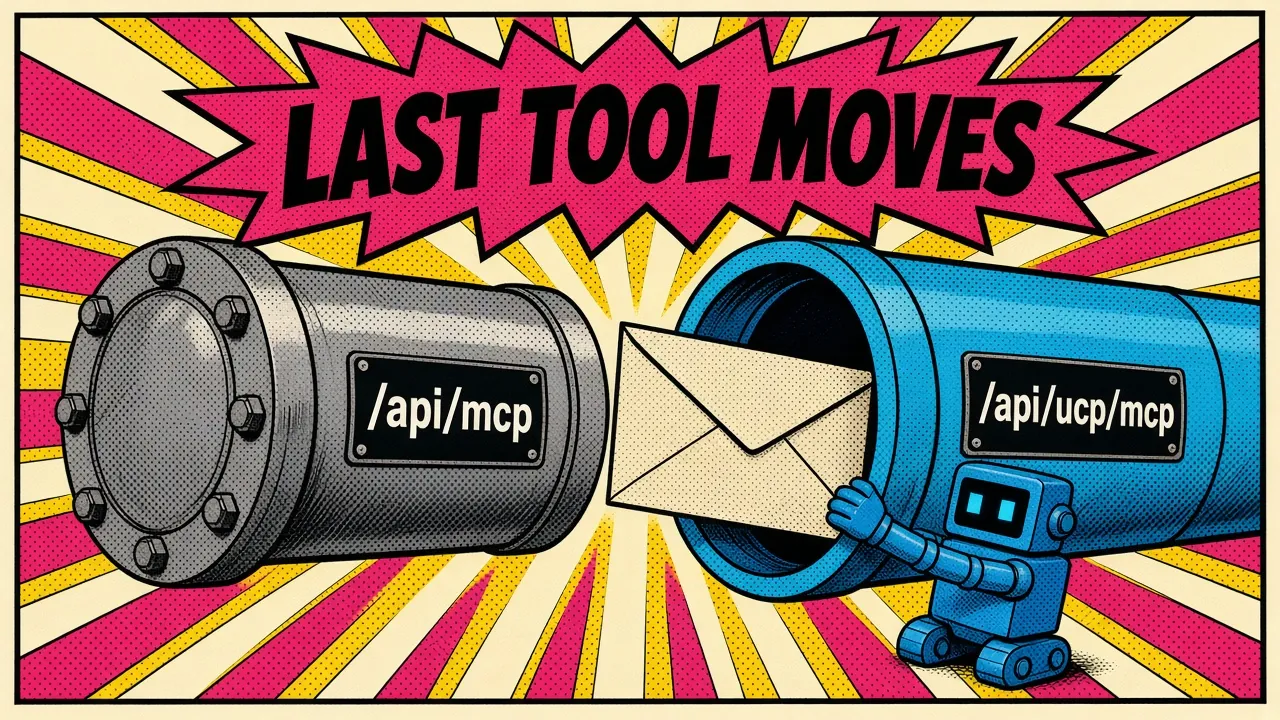
The 11 November 2026 changelog is short and firm. Storefront MCP search_shop_policies_and_faqs is deprecated. Migrate to UCP MCP’s ask_business by 15 January 2027.
The changelog places the old tool at https://{shop}.myshopify.com/api/mcp. The Policy and FAQs tool page documents the same path as https://{storedomain}/api/mcp.
The new tool lives at https://{shop-domain}/api/ucp/mcp. The Ask MCP docs write that host as {storedomain}. It implements the UCP ask capability, dev.ucp.common.ask.
The changelog says Shopify will maintain the deprecated tool until 15 January 2027, and that documentation refers to Ask MCP. The Policy and FAQs page says the tool is removed on 15 January 2027, and that it remains available at /api/mcp until then.
This is separate from the cart removal. The Migrate from Storefront MCP guide says the catalog and cart tools on https://{shop}/api/mcp were removed. That same guide now maps “Policy and FAQ questions” to Ask MCP’s ask_business. Customer Accounts MCP is a different server, and that guide says it is unchanged.
On that tool map, policy questions are the row still aimed at /api/mcp. If your agent still asks “What is your return policy?” through Storefront MCP, you are on the last tool that page still maps there.
The request is a different shape
A rename of the tool is not enough. The endpoint changes, the arguments change, and you cannot call /api/ucp/mcp without an agent profile.
The changelog and the Ask MCP docs agree on the call. Include a meta object that carries ucp-agent.profile in every request. Your profile must declare dev.ucp.common.ask. Send the question in ask.query. Send optional buyer context, such as country or preferred language, in ask.context.
The version constraint is on the Ask MCP page. Ask is available in UCP 2026-08-25 and draft. Your profile must use one of those versions. The changelog does not name them.
The Ask MCP docs cap ask.query at 10,000 characters. ask.context is an object, and its serialized JSON must not exceed 8,192 bytes. The documented string fields are address_country, address_region, postal_code, language, currency, and intent. The object also accepts additional properties. Send only the context needed to answer the question.
That is a break from the old tool. The deprecated Policy and FAQs page took query as a required string and context as an optional string, for example “Customer is looking at discounted winter jackets.” A wrapper that still sends context as a string will not match the new schema.
Storefront MCP
POST https://{shop}.myshopify.com/api/mcp (the Policy and FAQs page writes {storedomain}).
Tool: search_shop_policies_and_faqs. Arguments: query (string) and optional context (string). No agent profile. That page says no authentication is required.
Ask MCP
POST https://{shop-domain}/api/ucp/mcp (the Ask MCP docs write {storedomain}).
Tool: ask_business. Arguments: meta.ucp-agent.profile, ask.query, optional ask.ids, optional ask.context (object). The profile must declare dev.ucp.common.ask.
If you already host a profile for Cart MCP and Checkout MCP, add the ask capability to that same document. One profile URL is what you send on each call.
Ask MCP says the returned tools depend on the capabilities your agent advertises. The profiles guide negotiates the intersection of that profile with what the shop supports.
A cart and checkout profile that does not declare dev.ucp.common.ask does not advertise ask. After you add it, call tools/list and confirm ask_business is present.
Shopify publishes example Ask profiles for testing. 2026-08-25/ask.json declares a dev.ucp.common service (version, spec, MCP transport, and schema) and one capability, dev.ucp.common.ask. It does not declare cart or checkout. draft/ask.json is the same shape with version draft.
The Ask MCP docs say to use an example profile for testing, and to host your own for the integration. Their tools/list sample points profile at the draft example URL.
The cart and checkout tutorial profile has no services block. It declares dev.ucp.shopping.cart and dev.ucp.shopping.checkout only. Adding ask to that document looks like this. This snippet is not a copy of ask.json:
{
  "ucp": {
    "version": "2026-08-25",
    "capabilities": {
      "dev.ucp.shopping.cart": [{ "version": "2026-08-25" }],
      "dev.ucp.shopping.checkout": [{ "version": "2026-08-25" }],
      "dev.ucp.common.ask": [{ "version": "2026-08-25" }]
    }
  }
}
The cart and checkout entries are the ones that tutorial already uses. Include them only if that is already your agent. Do not invent capabilities you do not implement.
Then confirm the store actually offers Ask. Check the business profile at https://{storedomain}/.well-known/ucp for dev.ucp.common.ask, and for the MCP endpoint under the dev.ucp.common service. After that, call tools/list with your profile. The shape is the one the Ask MCP docs show:
{
  "jsonrpc": "2.0",
  "method": "tools/list",
  "id": 1,
  "params": {
    "arguments": {
      "meta": {
        "ucp-agent": {
          "profile": "https://your-agent.example/profiles/agent.json"
        }
      }
    }
  }
}
For testing only, point profile at https://shopify.dev/ucp/agent-profiles/examples/draft/ask.json. For the integration, use the URL you host.
The response will break source-citing agents
This is the change that will fail quietly.
The old tool’s documented response put a string in structuredContent.answer and a list of pages in structuredContent.sources. Each source had a title and a url, such as a refund policy page or an FAQ page.
Agents that rendered “According to the store’s refund policy” with a link were reading that array.
ask_business does not return that array. The changelog says it returns a written answer in result.structuredContent.answer.plain, “not raw knowledge base facts or full policy text.” You must update any code that parses the old response.
The Ask MCP docs put the answer in result.structuredContent.answer.plain. The result.content array also contains a text representation of the response. The documented response can include result.structuredContent.links, but those links are not a replacement for sources.
Shopify’s rules for links are narrow. They are available for product, variant, and collection IDs you provided in ask.ids, and only when the resource has an online store URL.
Each link has type, url, title, and the resource GID in id. The type is product for products and variants, or collection for collections.
Cart IDs do not get links. Products that appear only because you passed a cart or a collection do not get links unless you also pass their product or variant IDs.
There is no documented type here for a refund policy or an FAQ page. If you keep a parser that maps sources[].url into citation chips, those chips will be empty after the cutover, even when answer.plain is a perfectly good sentence.
Here is the new call, following the Ask MCP example. The answer text below is illustrative, the same way Shopify’s own example is illustrative. Do not treat it as a real store policy.
{
  "jsonrpc": "2.0",
  "method": "tools/call",
  "id": 2,
  "params": {
    "name": "ask_business",
    "arguments": {
      "meta": {
        "ucp-agent": {
          "profile": "https://your-agent.example/profiles/agent.json"
        }
      },
      "ask": {
        "query": "What is the return policy for this product?",
        "ids": ["gid://shopify/ProductVariant/456"],
        "context": {
          "address_country": "US",
          "language": "en"
        }
      }
    }
  }
}
The docs show a response excerpt of this form, inside structuredContent (they omit other UCP metadata and the MCP text representation):
{
  "ucp": {
    "version": "draft"
  },
  "answer": {
    "plain": "You can return eligible items within 30 days of delivery. Items must be unused and in their original packaging."
  },
  "links": [
    {
      "type": "product",
      "url": "https://store.example.com/products/example-product?variant=456",
      "title": "Example product - Blue / Large",
      "id": "gid://shopify/ProductVariant/456"
    }
  ]
}
Read answer.plain. If you want to show a product link, use links only for IDs you sent. Do not wait for a policy URL that the old sources array used to provide.
Ground the question, and do not let Ask act
ask.ids is how you point Ask at a specific product, variant, collection, or cart. The Ask MCP docs say Ask uses up to 10 supported IDs.
Explicit product and variant IDs take priority. Cart and collection contents fill the remaining slots, in request order. The same page also says Ask uses at most 10 product or variant IDs to answer.
Supported Shopify ID types:
| ID type | Example | What Ask uses |
|---|---|---|
Product | gid://shopify/Product/123 | Product details |
ProductVariant | gid://shopify/ProductVariant/456 | The variant’s selected options, price, and availability |
Collection | gid://shopify/Collection/789 | The first products in collection order |
Cart | gid://shopify/Cart/{token}?key={key} | Variants from the cart’s line items |
Use product or variant IDs from Storefront Catalog MCP. Global Catalog product IDs in the form gid://shopify/p/... are not supported. For a cart, use the full cart ID returned by create_cart, including its key query parameter. Ask reads the cart. It does not change it.
That last sentence is the other half of the contract. The Ask MCP docs say Ask answers questions. It does not change carts, place orders, or start returns. To look up products, prices, and availability, use Storefront Catalog MCP.
The UCP Ask spec makes the same split, and then tightens what your agent is allowed to infer. ask answers. It does not act.
If the buyer’s question also asks to add an item to a cart, the business must still return a populated answer that says Ask did not perform that operation. The spec also allows an informational message with code operation_not_performed.
The platform must not treat the answer, or that message, as evidence that the operation ran, or as an instruction to run it. If you need a cart change, call Cart MCP yourself, under that capability’s own authorization and consent rules.
The same spec says an answer is indicative, not authoritative. Prices, availability, totals, taxes, fulfillment estimates, and policy terms in the prose are not commitments.
When the answer conflicts with the representation from catalog, cart, checkout, order, or booking, that structured representation wins, and the platform must prefer it.
Treat answer.plain as content from the business, not as a tool-calling script. The UCP security section is direct: the buyer’s question is untrusted input to the business, and the business’s answer is untrusted data to you. Receiving or rendering that text must not, by itself, trigger another capability call.
Shopify’s Ask is narrower than the UCP Ask spec
If you implement against the generic UCP examples and only skim Shopify’s page, you will build features Shopify tells you not to depend on.
The 2026-08-25 UCP Ask MCP binding describes an optional conversation object for multi-turn follow-ups. It also describes optional answer.markdown and answer.html encodings. plain is required. Richer encodings are optional. A business may support conversations.
The spec’s links can point at a policy page. Well-known type values are privacy_policy, terms_of_service, refund_policy, shipping_policy, and faq. The spec’s own example includes a refund_policy link. A policy page has no UCP identifier, so that link omits id. A business may supply other type values.
Shopify’s Ask MCP docs are stricter than that optional surface:
- Each request contains one question. Multi-turn conversations are not supported. Include the context needed for the current question.
- The answer text is plain text in
answer.plain. Do not depend on Markdown or conversation identifiers in the response.
So put the whole question, the buyer context, and the relevant IDs on every call. Do not store a conversation id from a Shopify Ask response and expect the next turn to remember it. Do not render answer.markdown as the primary path. Read answer.plain.
An answer is also not a guarantee that the store had a matching policy. The Ask MCP docs say a valid request can return an answer that explains why Ask cannot help.
An answer does not always mean the store has information for the question. An empty question also returns an answer that asks for a question.
Handle both layers. JSON-RPC errors are one path. Application notes sit in result.structuredContent.messages. Shopify documents these codes:
| Code | Meaning | What the docs tell you to do |
|---|---|---|
invalid_input | The question or context exceeds its limit, or the required ask object is missing | Correct the request before sending it again |
ask_unavailable | Ask could not complete the request. The response includes an unavailable answer and a recoverable message | Tell the buyer that an answer is not available |
unsupported_id | The ID type or format is not supported (type: "warning") | Use a supported GID from this store |
id_limit_exceeded | An ID is past the 10-ID limit, or not all cart items fit the product limit (type: "warning") | Send fewer IDs, or pass explicit product or variant IDs for the items you need |
not_found | The resource is not available from this store, or the cart key does not match (type: "info") | Check the resource ID and cart key |
Each ID message includes a path, such as $.ask.ids[2], that identifies the input ID.
If your client only checks for a JSON-RPC error, you will miss a polite “I cannot help” answer, and you will miss unsupported_id on a Global Catalog GID you accidentally forwarded.
A Laravel wrapper, then a cutover checklist
You do not need a special Shopify SDK for this. A Laravel HTTP client is enough, as long as it sends the profile, reads answer.plain, and surfaces messages.
use Illuminate\Support\Facades\Http;

final class ShopAskClient
{
    public function __construct(
        private readonly string $shopDomain,
        private readonly string $agentProfileUrl,
    ) {}

    public function ask(
        string $query,
        array $ids = [],
        array $context = [],
    ): ShopAskResult {
        $ask = ['query' => $query];

        if ($ids !== []) {
            $ask['ids'] = array_values($ids);
        }

        if ($context !== []) {
            $ask['context'] = $context;
        }

        $response = Http::asJson()
            ->post("https://{$this->shopDomain}/api/ucp/mcp", [
                'jsonrpc' => '2.0',
                'method' => 'tools/call',
                'id' => 1,
                'params' => [
                    'name' => 'ask_business',
                    'arguments' => [
                        'meta' => [
                            'ucp-agent' => [
                                'profile' => $this->agentProfileUrl,
                            ],
                        ],
                        'ask' => $ask,
                    ],
                ],
            ])
            ->throw();

        $payload = $response->json();

        if (isset($payload['error'])) {
            $message = $payload['error']['message'] ?? 'Ask MCP JSON-RPC error';
            throw new \RuntimeException($message);
        }

        $content = $payload['result']['structuredContent'] ?? [];

        return new ShopAskResult(
            plain: $content['answer']['plain'] ?? null,
            links: $content['links'] ?? [],
            messages: $content['messages'] ?? [],
        );
    }
}
Keep ShopAskResult boring: a nullable plain string, a links array, and a messages array. Do not add a sources property “for compatibility.” That is how a blank citation survives into production.
This client does not send Shopify-Buyer-IP. throw() also raises on HTTP 429 before you can read Retry-After. Add the header, and catch that status, only for the case the next paragraphs describe.
If this agent already authenticates at the Token tier, the Auth and rate limiting page requires a Shopify-Buyer-IP header on every tools/call to a merchant UCP MCP endpoint, https://{shop-domain}/api/ucp/mcp. There is no placeholder value.
Discovery requests such as initialize and tools/list do not need it, and neither do Signed or Anonymous requests.
That page does not name Ask. Its tools table lists catalog, cart, checkout, and order tools. The sentence that describes the merchant endpoint names Storefront Catalog, Cart MCP, Checkout MCP, and Order MCP.
The header rule is written for every Token-tier tools/call on that endpoint, not as an Ask-specific line. The Ask MCP docs only point you at the page.
I am not going to invent an Ask-specific rate limit. What the page does say, for merchant UCP MCP endpoints in general, is that an overrun returns HTTP 429 with a Retry-After header. Wait that many seconds, then retry with exponential backoff and jitter.
Allowances differ by tier and by tool and can change, so do not hard-code a request budget.
The old Policy and FAQs tool required no authentication. Do not assume the new endpoint is the same just because the question is still a return policy.
Cutover checklist:
- Find every
search_shop_policies_and_faqscaller, including prompts and skill files that name the old tool. - Add
dev.ucp.common.askto the agent profile you already host, or host a dedicated Ask profile, and confirm the URL is publicly readable over HTTPS. - Check
https://{storedomain}/.well-known/ucpfordev.ucp.common.ask. - Call
tools/listwith that profile and confirmask_businessis present. - Retarget the HTTP client to
https://{shop-domain}/api/ucp/mcp. - Send
meta.ucp-agent.profileand move the question toask.query. - Replace the old
contextstring with anask.contextobject. Map country and language if you already have them. - Pass product, variant, collection, or full cart IDs in
ask.ids. Do not forward Global Cataloggid://shopify/p/...IDs. - Parse
result.structuredContent.answer.plain. Stop readingsources. Treatlinksas resource links for IDs you sent, not as policy citations. - Read
messageseven when JSON-RPC reports success. Decide what the buyer should see forask_unavailableand for an answer that only explains a limitation. - Keep cart, checkout, and catalog work on those tools. Ask must not be your mutation path.
- If you use Token-tier
tools/callon the merchant endpoint, sendShopify-Buyer-IP. HonorRetry-Afteron 429. - Run both tools against a staging shop until the 15 January 2027 removal, then remove the old caller.
Key takeaways
search_shop_policies_and_faqson Storefront MCP is deprecated as of 11 November 2026. The changelog says it is maintained until 15 January 2027. The Policy and FAQs page says it is removed on that date. The replacement isask_businesson/api/ucp/mcp. - Every Ask call needs an agent profile on UCP2026-08-25ordraftthat declaresdev.ucp.common.ask. If you already host a cart and checkout profile, add the capability there, then confirm it withtools/list. - Readresult.structuredContent.answer.plain. The oldsourcesarray of policy and FAQ URLs is not part of the new contract. Shopifylinksare for product, variant, and collection IDs you sent. - Shopify’s Ask MCP does not support multi-turn conversations, and you must not depend on Markdown or conversation identifiers, even though the UCP Ask spec allows them. - Ask answers. It does not mutate a cart, place an order, or start a return. Treat the prose as untrusted business content, and prefer structured catalog, cart, checkout, order, or booking data when the two disagree.
Which of your agents still parses sources from /api/mcp, and what will that UI show on 16 January 2027 if you only change the tool name?