For a solo founder, Duet is worth the waitlist if you want one proactive agent that briefs you and waits before send, pay, or delete.
That is my claim. Everything after it comes from Anthropic’s pages, read on 26 October 2026. Features can change during the research preview.
What it is
On 21 October 2026, Anthropic opened a research preview of Claude Duet. It is a standalone app for iOS and Android, and you can open it on the web at claude.ai. For now it lives in its own app, separate from the main Claude app.
It uses your Claude account. Memory, skills, and connected apps come with you from the first message. You cannot pick a model. Duet runs on Claude Opus 5.5 and decides how much effort a job needs.
The product page describes the working relationship in plain terms. In the Claude app, you open a chat and work alongside Claude. Duet comes to you. It tells you what needs your attention, takes tasks you hand it by message, and reaches out when a task is done or needs your approval.
Claude app
Claude Duet
Anthropic says it built Duet for professionals and small business owners who are tracking more than they can hold at once. The launch article says Duet is built to decide what needs you, what can wait, and when to check with you first. The core is work. Personal errands, such as booking tickets, are weaker.
It is an early version. Anthropic says it can still misread a thread or misjudge what is urgent.
How work runs
Duet works on a virtual machine in the cloud, with its own browser, so it keeps working when your laptop or phone is off. You message it by typing or by voice. The main thread stays in one place, so a quick reply and a weeklong project both start in the same place. You can also open separate channels for different topics, and those channels share the same memory.
A short message is enough. Duet works out which apps to use and which steps to take. You get a notification when the task is done or needs your review. Bigger results come back as files you can review and edit, such as a research brief, a financial model, a slide deck, or a dashboard. Finished work shows up in the Make tab.
The Tasks tab shows what Duet is working on and highlights tasks that need your input. The main thread stays quieter: Duet posts there when a task is done or needs a decision. It may suggest that a task looks finished. Only you can mark a task complete. Each task has its own page, and you can steer it while it is running.
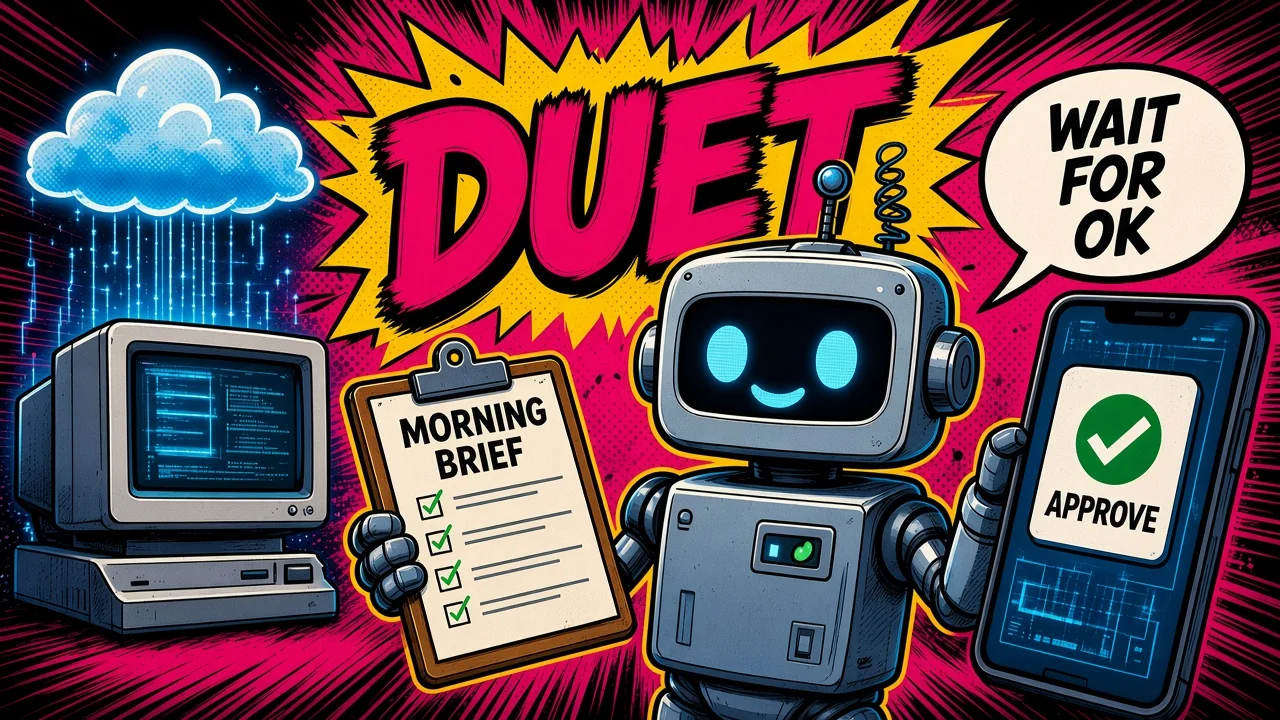
Each morning, Duet sends a short brief on the important items across your connected apps. The help center says that brief looks across email and calendar, and that Duet can start first steps, such as drafting replies for you to review. Through the day it checks connected accounts every few hours. Anthropic says checking nonstop would use up the plan limits much faster. It messages you when something needs you. You can tell it what you want to hear about, and how often.

Your Claude connectors carry over. You start every new connection yourself, and you can disconnect any app. Turning an app off in Claude or in Duet turns it off in both. The help center names connectors such as Gmail, Google Calendar, Google Drive, Slack, QuickBooks, HubSpot, Docusign, and Calendly. Duet can also use more than 6,000 connectors and plugins in the Claude Marketplace. It supports plugins, including a small business plugin, and it can suggest plugins that fit your work.
The launch article gives these examples of work:
- Find Gmail and Slack messages you missed, and help you reply.
- Check QuickBooks or Stripe for unpaid invoices, and draft reminders.
- Prepare and run payroll in Gusto, with hours, bonuses, and reimbursements filled in.
- Draft a job post and, after you edit and approve it, post it to LinkedIn.
- Help prepare agreements and send them for review and signature through Docusign.
- Draft follow-up emails from the contact and deal history in HubSpot.
- Turn a product launch into a social campaign in Canva.
- Set up, design, and manage a Shopify store. A richer visual editor, so you can design the storefront and preview it before anything goes live, is listed as coming soon.
For a site with no connector, Duet uses its own browser in the cloud. You cannot watch that browser or take it over, and the launch article says Duet cannot show you the browser yet.
For purchases, Duet can use Link, Stripe’s digital wallet, and Shop Pay from Shopify. You connect Link and Shop Pay inside Duet, not in the connectors directory. The Stripe connector, used for invoices, is separate from Link. Duet is designed to ask before each purchase, and each purchase uses a one-time card that only works for that purchase. With Link, Duet confirms the item with you, you approve the spend in the Link app, and the payment goes out on a one-time virtual card limited to that merchant and amount. Your real card number is not shared with Duet or the merchant. Link and Shop Pay are available only in Duet for now.
Sign-in with logins you saved in 1Password is coming soon. Anthropic says Duet will ask for a credential, you will approve that request in 1Password, and the credential will go to the browser without passing through the model.
Approvals and safety
Duet reads, drafts, and prepares work on its own. Before it sends a message, makes a payment, signs a document, or deletes anything, it shows you what it is about to do and waits. The safety article is specific: it shows the action, the destination, and the content, including every recipient.
If you cannot approve right away, Duet finishes the rest of the task and brings that approval back to you later. When it gives you a number or a summary, it tells you which email, file, or spreadsheet it came from. Routines that run while you are away use the same safeguards.

A separate checker runs beside each action. Anthropic calls it the auto mode classifier, the same safeguard used in Claude Code, extended for Duet. It tests whether the action matches what you asked for. The check runs outside the model doing the work, so a hidden instruction in a page cannot affect the outcome.
Some actions stay off limits even if you approve them: trading securities, moving money between accounts, and accessing someone else’s account. A few other steps never fall under a “don’t ask me again” rule, however often you have approved them: paying or sending money, deleting an order, or creating an account.
A second checker reads each message Duet is about to send. Anthropic sorts sensitive information into two tiers:
- Never share, even if you ask: sign-in credentials, full card and bank account numbers, and government ID numbers. The launch article names credit card numbers and government identification in this strictest tier.
- Share only when you have explicitly said so: other private information, such as health or personal finances. A request you wrote yourself counts as that consent. Anthropic’s example is a note to your dentist about tooth pain, which generally needs no extra approval beyond your request.
If a message is blocked, Duet can rewrite it without the sensitive part and show you the rewrite for approval. Anthropic says these checks will sometimes miss, or flag a harmless message. That is one reason the approval step stays in place. Anthropic also says it will keep adjusting how often Duet asks, because too many approval requests teach people to tap through them.
Duet never sees your passwords, browser cookies, sign-in tokens, or other credentials, and it cannot save them to its memory. They pass only through separate machines the model cannot access. Sign-in tokens for connected apps stay out of the machine where the agent works. A placeholder sits there, and a proxy outside that machine inserts the real value as a request goes out. Approvals and safety checks run on those separate machines too. The product page sums this up as: approvals, logins, and safety checks run in your own cloud computer, so sensitive details stay private.
When a site asks for a password, you type it into a form inside the app, on your device. The form encrypts it with a single-use key that exists only on the cloud browser machine, for that one use, and sends it unopened to the browser. The browser types it into the site. The model does not see the password. The sign-in form appears inside the app, during a sign-in you asked for. Anthropic says it does not arrive as a link, a text message, an email, or on a website other than claude.ai.
The browser runs in its own virtual machine, separate from the model and from the cloud computers the agent works on. Duet drives it with a fixed set of commands: open this page, click here, type this. What comes back is the page text and downloads, because the agent has to read them to do the job. The site’s code and cookies stay on the browser machine. None of the agent’s commands can read cookies out of the browser. Files Duet uploads through the browser get the same sensitive-information check as its messages.
The browser identifies itself as an agent. Requests include a distinct User-Agent header, and Anthropic publishes the public IP addresses it browses from, so a site can recognize it. Before launch, Anthropic contacted several large websites and gave them the option to prevent Duet from visiting. Some chose to.
Email and web pages can contain instructions meant to mislead the agent. Anthropic calls this prompt injection. Duet is built to treat what it reads as information and to act on what you ask. Anthropic says no defense is perfect, which is why send, pay, sign, and delete still wait for you. Defenses draw on Anthropic’s browser-use research, and on the same framework for trustworthy agents that also guides Claude Code and Claude in Chrome.
Red teams tested whether Duet would leak information, act without approval, or follow malicious prompts. An external firm tested it with access to the source code. On 23 October 2026, Anthropic said a follow-on test of the cloud browser and the sign-in form was still running. Duet is in Anthropic’s public bug bounty.
Access and price
As of 26 October 2026:
- Duet is a research preview on a waitlist. You need a Claude Pro or Max plan, a Claude account in the US, and an invitation.
- Invitations go out in waves. Joining the list does not set a date. During this preview, Duet is available in the US only.
- Team and Enterprise plans are not included yet. Anthropic says it plans to bring Duet to those plans later.
- During the preview, Duet is included with Pro and Max at no extra cost. These pages do not list a separate Duet price.
- It shares your plan’s usage limits with the rest of Claude, including the five-hour session and the weekly limit. The help center says Duet uses those limits at the same rate as chats in Claude. Background work also counts, including the morning brief and check-ins, so you can reach the limits sooner than with chat alone. The launch article says Duet uses the shared limits differently from a typical conversation, because background checks count and larger tasks, such as a financial model or a deck, need more model turns and background work.
- When you are admitted, you get one full limit reset, covering both the five-hour session and the weekly limit. That reset is available until 30 November 2026.
- The email on the waitlist has to match your Claude account, and the Apple or Google account on your phone. After you accept the invitation, the app can take a few minutes to become available.
- Features can change during the preview.
On a phone, Duet is an iOS or Android app. On a computer, you open it at claude.ai.
Limits
Anthropic lists these limits for the research preview:
- It can misread a thread or misjudge what is urgent, and it can miss something that arrives between checks.
- It checks on a schedule, every few hours, so an urgent message can land in the gap.
- You cannot watch Duet work in its browser or take the browser over. The launch article says Duet cannot show you its browser yet.
- It cannot see all of your projects, or the files on your computer. It can read your work in Claude. It cannot change that work.
- It does not make phone calls, and it does not send text messages to other people. With your approval, it can send email from accounts you have connected.
- Trading securities, moving money between accounts, and accessing someone else’s account stay off limits even with your approval.
- Some connectors, including Slack, work with limits inside Duet. Microsoft 365 is not available yet.
- Personal errands, such as booking tickets, are weaker than the work tasks it was built for. The safety article still lists booking among things Duet can do while you are away. The launch article is the one that calls that area weaker.
- Disconnecting an app stops new access. What Duet already learned from that app stays until you reset its memory from the app settings. Conversation history stays until you delete it or reset memory. Deleting a chat removes it from search. Deleting your account wipes what Duet has stored.
- It can search past Claude Duet chats and Claude chats outside projects, under the same Search and reference chats setting. Turn that setting off under Settings, Your Claude (or Settings, Memory in the older layout) to stop the search.
Key takeaways
- Duet is one proactive agent: a morning brief, background work on a cloud computer, and a stop before send, pay, sign, or delete.
- For a solo founder, it is worth the waitlist if you want that one agent and you are willing to approve the sensitive steps yourself.
- As of 26 October 2026, access is US Pro and Max, by invitation, included in the plan, sharing the plan’s usage limits.
- The approval card is the control. Classifiers and the credential split sit beside it. Anthropic still says no defense is perfect, which is why send, pay, and delete wait for you.
Which Monday job would you hand to an agent that has to wait before send, pay, or delete?
Sources
Facts in this post come from these Anthropic pages, read on 26 October 2026.
- Introducing Claude Duet, published 21 October 2026
- Claude Duet product page
- Get started with Claude Duet
- Claude Duet safety, privacy, and security, published 23 October 2026