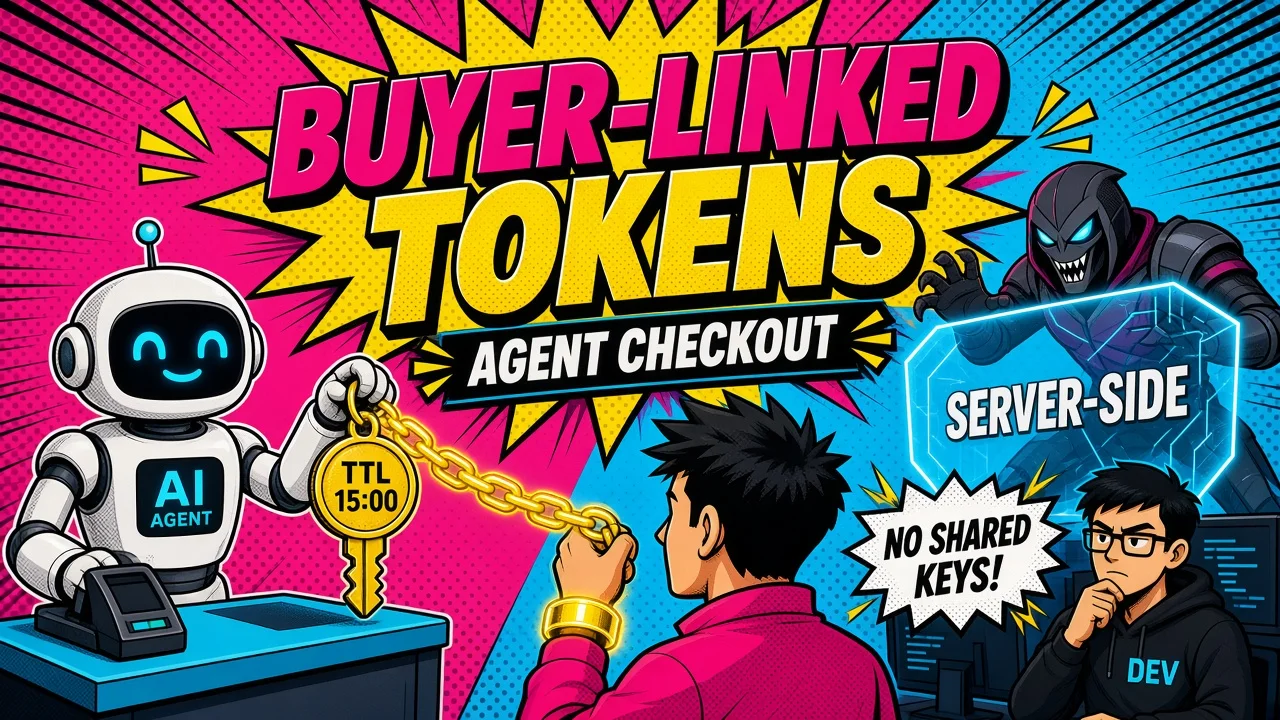
An AI agent can discover a product, build a cart, and reach checkout faster than a human. It can also make an expensive mistake in seconds.
Agentic commerce changes the security boundary of a Shopify store. A storefront is no longer only serving pages to people.
It exposes product data, pricing, inventory, fulfillment options, checkout actions, and order state to autonomous software.
That creates a real problem. If an agent receives broad Shopify credentials, a prompt injection or an implementation bug can expose customer data or trigger an unauthorized transaction.
The fix isn’t to block agents. It’s to give them a narrow, observable, policy-controlled path through the commerce stack. The principle is short:
The security problem in agentic commerce
Traditional Shopify integrations assume a known application, a fixed workflow, and a human reviewing the final checkout screen. Autonomous agents remove all three assumptions.
A buyer agent may:
- Interpret a natural-language request.
- Search product catalogs.
- Compare variants, prices, and delivery options.
- Build a cart across multiple turns.
- Select a payment handler.
- Complete checkout or hand the buyer to a merchant page.
- Monitor fulfillment, refunds, returns, or cancellations.
Every step carries model uncertainty. The agent may misread intent. Product data may be stale. A tool description may be too broad. An external page may carry malicious instructions. A retry may duplicate an action that moves money.
This is why agentic commerce needs a different engineering model. The agent should never hold unrestricted access to Shopify Admin APIs. It should reach approved commerce capabilities through a controlled protocol layer.
How Shopify agentic commerce works with UCP
The Universal Commerce Protocol (UCP) gives agents and merchants a standard way to describe capabilities, negotiate compatibility, and execute commerce workflows.
Shopify’s UCP implementation covers the main buyer journey:
- Negotiation and authentication
- Product discovery
- Cart creation and updates
- Checkout creation and completion
- Order monitoring and post-purchase events
UCP is not a replacement for Shopify’s commerce APIs. It’s a standardized interaction layer so different agents and merchant systems can speak in shared commerce concepts.
It supports multiple transports (REST, JSON-RPC, MCP, and A2A, plus the JSON-RPC 2.0 channel behind Shopify’s Embedded Checkout Protocol) while the business logic stays the same.
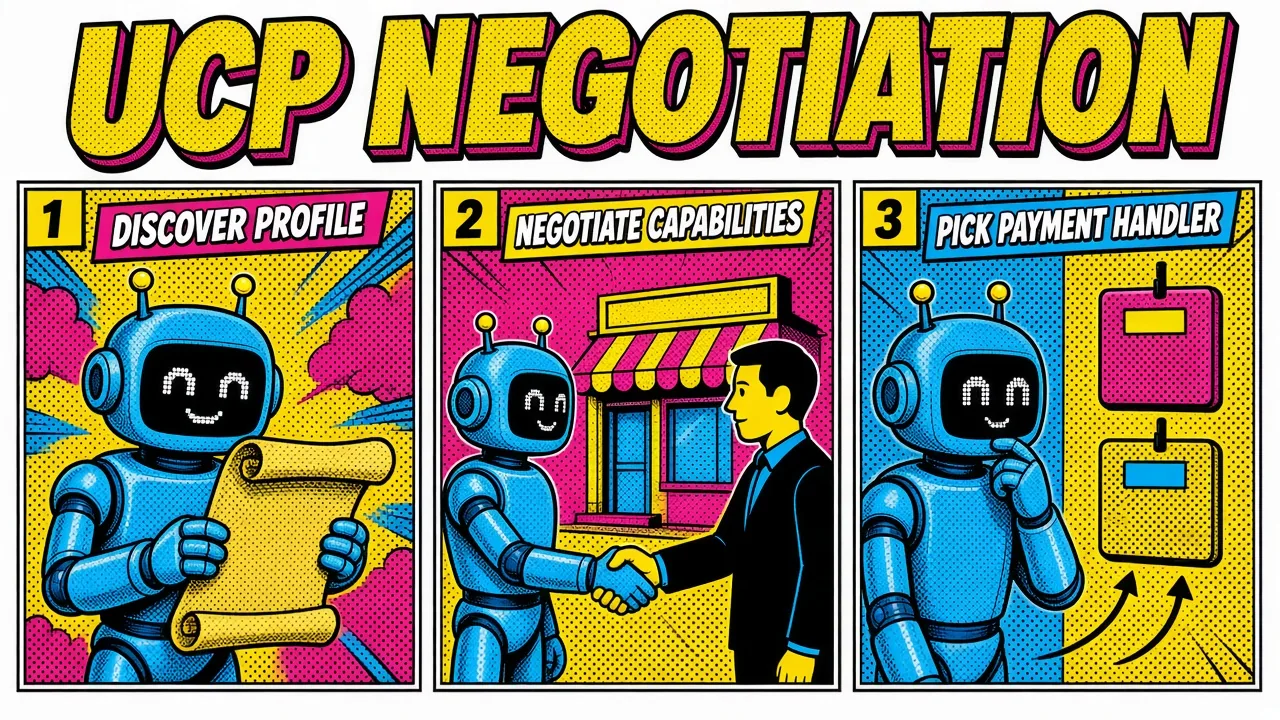
Profile negotiation
The mechanism that matters for security is profile negotiation. A merchant publishes a business profile, usually at:
https://store.example.com/.well-known/ucpOn Shopify, that profile is tied to the merchant storefront. It’s a self-contained document declaring version, services, capabilities, payment_handlers, and (via supported_versions) the profile URIs for older protocol versions. (See the Shopify UCP quick-start for getting the manifest live.)
The agent hosts its own platform profile at an HTTPS URL and passes that URL on every request through the UCP-Agent header. The platform profile mirrors the business one and adds a signing_keys registry.
That single document is both the capability declaration and the key-resolution mechanism, which is why profile validation is a security control, not a formality.
Shopify then computes the intersection:
merchant capabilities ∩ agent capabilities = negotiated capabilitiesOnly compatible capabilities become active. Extensions (dev.ucp.shopping.discounts, dev.ucp.shopping.buyer_consent, dev.ucp.shopping.fulfillment) carry an extends field naming their parent capability, and they never auto-activate. If the parent isn’t in the negotiated set, the extension drops out with it.
A trimmed platform profile, showing the shape rather than a complete document:
{
  "version": "2026-04-08",
  "services": {
    "dev.ucp.shopping": {}
  },
  "capabilities": {
    "dev.ucp.shopping.cart": {},
    "dev.ucp.shopping.checkout": {}
  },
  "signing_keys": [
    {
      "kty": "EC",
      "crv": "P-256",
      "kid": "agent-2026-08",
      "x": "...",
      "y": "..."
    }
  ]
}
Protocol versions are still moving through 2026. Check the UCP specification for the current registry shape.
Pin the version your integration uses, validate it strictly, and test version negotiation before rollout. Never silently downgrade to an older capability set.
For the wider shift from visual storefronts to programmable commerce, see why agentic commerce will change the way you build Shopify stores.
How do you build secure agentic commerce?
You need an intermediate control plane between the agent and Shopify:
buyer
  ↓
AI agent
  ↓
MCP client
  ↓
intermediate MCP governance server
  ↓
UCP commerce tools
  ↓
Shopify storefront and checkout services
That governance server is the whole point. It keeps the model off sensitive APIs and gives the team one place to enforce policy.
1. Expose task-specific tools
Don’t expose a generic shopify_admin_request. Create narrow tools with explicit inputs and outputs:
search_products(query, filters)
get_variant(variant_id)
create_cart(lines, buyer_country)
update_cart(cart_id, lines)
create_checkout(cart_id)
get_order(order_id)
One tool, one well-defined job, every parameter validated against a schema before any downstream request.
Never accept arbitrary GraphQL from an agent. Use fixed queries and allowlisted fields. That prevents data overexposure and shrinks the blast radius of prompt injection.
Risky
shopify_admin_request tool that accepts arbitrary GraphQL.Safe
search_products and create_checkout, fixed queries and allowlisted fields.2. Keep Admin tokens server-side
Admin API tokens belong in a secret manager. Never in:
- Agent prompts
- Tool responses
- Browser JavaScript
- Client-side logs
- Model context
agents.md- Product descriptions or metafields
The governance server holds the credential and calls only the minimum Shopify operations required. For public product discovery, prefer Storefront API access with appropriate scopes. Reserve Admin API access for back-office operations that genuinely need it.
Use separate credentials for:
- Catalog reads
- Cart and checkout operations
- Order status reads
- Fulfillment or refund workflows
- Internal administrative actions
Revocation and incident analysis get much easier when the blast radius is already partitioned.
3. Apply capability and state policies
Authorization depends on both the tool and the current commerce state.
| Commerce state | Allowed actions | Approval requirement |
|---|---|---|
| Discovery | Search products, read public availability | None |
| Cart building | Add or remove line items, estimate totals | Optional |
| Pre-checkout | Select fulfillment, validate buyer data | Buyer confirmation |
| Checkout completion | Submit payment mandate or complete checkout | Strong authentication |
| Post-purchase | Read order status, track fulfillment | Scoped buyer access |
A signed agent is not automatically allowed to complete a purchase. High-risk actions need the right authorization tier, scope, buyer identity, and payment consent.
Treat every checkout completion as a state transition, not an ordinary tool call.
Secure the protocol and the request envelope
The protocol has to authenticate more than the model. It authenticates the agent profile, request origin, capability set, and transaction context.
UCP signs every HTTP-based transport with RFC 9421 HTTP Message Signatures. Signing is asymmetric: ES256 is mandatory, ES384 optional.
Public keys are JWKs (RFC 7517) published in the signing_keys array of the signer’s profile, and the body is bound in through a Content-Digest header (RFC 9530) computed over the raw body bytes.
What the signature covers
A request signature covers @method, @authority, @path, the query, ucp-agent, idempotency-key, and the content headers. Responses cover @status instead of the method.
That component list is the security property worth internalizing. The idempotency key is inside the signature, so a replayed request can’t be re-pointed at a new operation without invalidating it.
UCP deliberately handles replay protection at the business layer through idempotency keys rather than at the signature layer; the RFC 9421 created parameter is optional. If your governance server treats idempotency as an optional convenience, you’ve removed the replay control.
At the governance layer, verify:
- The profile URL from
UCP-Agentuses HTTPS. - The profile is valid JSON and within size limits.
- The declared UCP version is supported.
- Capabilities use compatible versions.
- Extension
extendsdependencies are satisfied. - The signing key resolves from the declared profile’s
signing_keys. - The signature base reconstructs from the required components.
- The
Content-Digestmatches the raw body you actually read. - Idempotency keys are enforced, stored, and honored on retry.
HMAC for your own endpoints
For custom endpoints, webhooks, or internal proxy routes, HMAC adds a shared-secret check. HMAC does not replace UCP’s asymmetric message-signature model. It’s an extra control where both parties already share a secret.
A webhook verifier should:
- Read the raw request body.
- Compute the HMAC using the expected secret.
- Compare signatures with a constant-time function.
- Reject stale timestamps.
- Record the event ID to prevent replay.
- Process the event idempotently.
In Laravel terms:
$expected = hash_hmac(
    'sha256',
    $timestamp . '.' . $rawBody,
    $sharedSecret
);

if (!hash_equals($expected, $receivedSignature)) {
    abort(401, 'Invalid signature');
}
Never verify an HMAC over a parsed and re-serialized JSON object. Whitespace and key ordering change the bytes. Verify the original payload.

Human approval is a protocol state
Autonomous doesn’t mean every action is automatic.
UCP models graceful escalation through checkout states such as:
incomplete: required information is missingrequires_escalation: buyer input is neededready_for_complete: everything is collected and the agent may finalize programmatically
Those three sit alongside complete_in_progress, completed, and canceled in the checkout state machine. A checkout can move back and forth between incomplete and requires_escalation, and it can reach canceled from anywhere.
An agent may select a product and calculate shipping but still need buyer input for a 3DS challenge, address validation, terms acceptance, age verification, or custom selling terms.
Escalation is not an error
A requires_escalation response must carry a continue_url and at least one message at escalation severity. That’s the merchant handing you a place to send the buyer, plus the reason. Send them there with the cart intact instead of starting over.
Your agent should not try to route around this state. It should surface the escalation messages verbatim and preserve the exact checkout context the merchant returned.
The same applies to compliance disclosures. A warning message with presentation: "disclosure" (Prop 65, allergens, age restrictions) must be displayed next to the item it applies to, never collapsed or auto-dismissed. If your surface can’t render it faithfully, escalate to continue_url rather than silently downgrading.
Add approval gates for:
- Checkout completion
- Orders above a configured threshold
- Address changes
- Discounts outside policy
- Refunds and cancellations
- Regulated or age-restricted products
- Unusual quantity or velocity patterns
Use idempotency keys on every money-moving request. A retry must not create a second checkout or a duplicate order.
Use agents.md for discovery and operational policy
An agents.md file helps compatible tools discover how your application expects agents to behave. Treat it as documentation and policy guidance, never as proof of identity or authorization.
A useful file describes safe defaults, tool boundaries, and failure handling:
# Commerce agent guidance

## Safe defaults

- Use catalog tools for product discovery.
- Never request or expose Shopify Admin tokens.
- Ask for buyer confirmation before checkout completion.
- Respect `requires_escalation` responses.

## Tool boundaries

- Do not call arbitrary GraphQL.
- Do not infer inventory when the API returns unknown.
- Do not modify orders without an authenticated buyer session.

## Failure handling

- Retry read operations with backoff.
- Use idempotency keys for writes.
- Log tool name, request ID, policy decision, and result status.
Keep it version-controlled and review changes like code. Sign or hash the policy bundle if your architecture supports it. A compromised instruction file must never grant permissions the server itself doesn’t enforce.
For more on MCP tool boundaries and context control, see Claude MCP and real-time developer tools.
The same least-privilege rules apply to commerce agents, and the agentic workflow architecture guide covers human approval and stateful tool loops.
Launch checklist
Secure agentic commerce is an API and policy engineering problem, not a prompt design problem. Before launch:
- Publish and validate UCP profiles over HTTPS.
- Pin supported protocol and capability versions.
- Put an intermediate MCP governance server between agents and Shopify.
- Expose narrow, schema-validated tools instead of arbitrary API access.
- Keep Admin tokens in a server-side secret manager.
- Use scoped credentials for catalog, checkout, orders, and administration.
- Verify HTTP Message Signatures and rotate keys.
- Add HMAC verification to custom webhooks and proxy endpoints.
- Require idempotency for all writes and payment-related operations.
- Model checkout as explicit states with human escalation.
- Treat
agents.mdas guidance, never as authorization. - Log every tool call, policy decision, signature result, and transaction identifier.
- Test malformed profiles, replay attempts, prompt injection, stale inventory, duplicate retries, and unauthorized checkout attempts.
The opportunity in agentic commerce is large, but trust decides which implementations survive production. If you want a second pair of eyes on that boundary, here’s how I work with teams.
Key takeaways
- Keep the agent on narrow, schema-validated tools behind a governance server. Admin tokens stay server-side.
- Validate UCP profiles, pin versions, and verify signatures and content digests on every request.
- Idempotency keys are your replay control. Treat them as required.
- Model checkout as states, and send the buyer to
continue_urlwhen escalation is needed.
What authorization boundary stops your Shopify agent from turning a reasonable buyer request into an unauthorized transaction?