AI coding is strangely addictive.
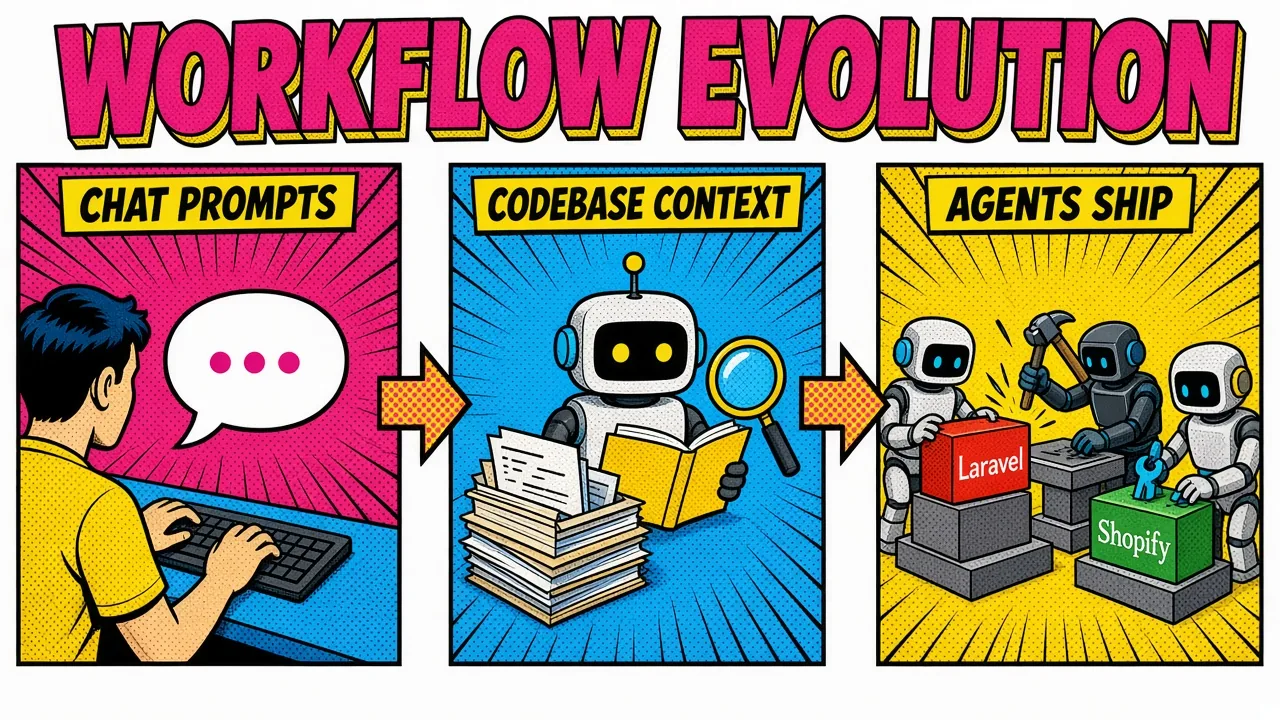
You start with a single prompt to fix a regex or center a div. You tell yourself it’s a one-time thing to save ten minutes.
Then you watch it refactor an entire Laravel controller in seconds. Suddenly you’re asking it to write your unit tests. Before long you’re building custom agents that manage a Shopify store over GraphQL.
The shift happens slowly at first. Then all at once.
The real problem is blank-page fatigue
The problem it solves for most of us isn’t typing speed. It’s blank-page fatigue. Staring at a legacy codebase or a fresh architecture doc feels like a mountain of manual labor.
You burn hours on boilerplate instead of business logic. That friction is where motivation goes to die.
And the cost of not evolving compounds. Coding without AI in 2026 feels like writing a book with a quill while everyone else runs a word processor. It isn’t only speed. It’s cognitive load. Energy spent on syntax and API nuance is energy not spent on architecture and strategy.
The answer isn’t “use AI.” It’s building a structured AI coding workflow: moving from passive user to engineer who orchestrates systems. Once you’ve felt a multi-agent loop close on its own, there’s no going back.
Levels 1 to 5: the gateway prompts
Almost everyone starts here. You treat the model like an interactive Stack Overflow. Paste a snippet, ask for a fix, move on.
At Level 1 you’re generating small functions and boilerplate. At Level 5 you’re debugging. Instead of manually scanning logs, you drop a stack trace into a chat and get a diagnosis. That alone saves real hours.
But you’re still stuck in the copy-paste loop. You write the code. The AI patches the errors. It’s a helpful assistant that has no idea what you’re building.
The trap at this level is letting the model freestyle without context. Escaping it means writing specs instead of wishes. You stop saying “fix this” and start saying something like the right side here:
A wish
A spec
Same model. Completely different output.
Levels 10 to 20: building context
At this stage you realize the model is only as good as the information it can see. Isolated chat windows stop being enough.
You start using tools that read your whole codebase. This is the point where the AI vs traditional development question stops being philosophical and turns into a workflow decision.
Level 10 is tests. Writing unit tests is usually the chore you postpone; AI makes it fast. A full Pest or PHPUnit suite for a Laravel feature drops in seconds.
You’re not just producing code anymore. You’re producing a safety net that lets the agents at higher levels move fast without wrecking things.
Level 20 is when the AI actually knows your codebase. Codebase indexing, embeddings, RAG. The model retrieves the three files that matter instead of guessing from the file tree.
Many teams go further and stand up a local pgvector database holding internal docs, ADRs, and runbooks. It’s the same retrieval discipline behind the 7 mistakes wrecking your production RAG stack.
The payoff is that you stop re-explaining your architecture in every session. Your event-driven layer, your custom service container bindings, your weird legacy billing table: the agent looks it up.
Level 50+: the agentic shift
This is where the addiction matures into an engineering practice. You’re no longer chatting with a model. You’re building systems that act on your behalf.
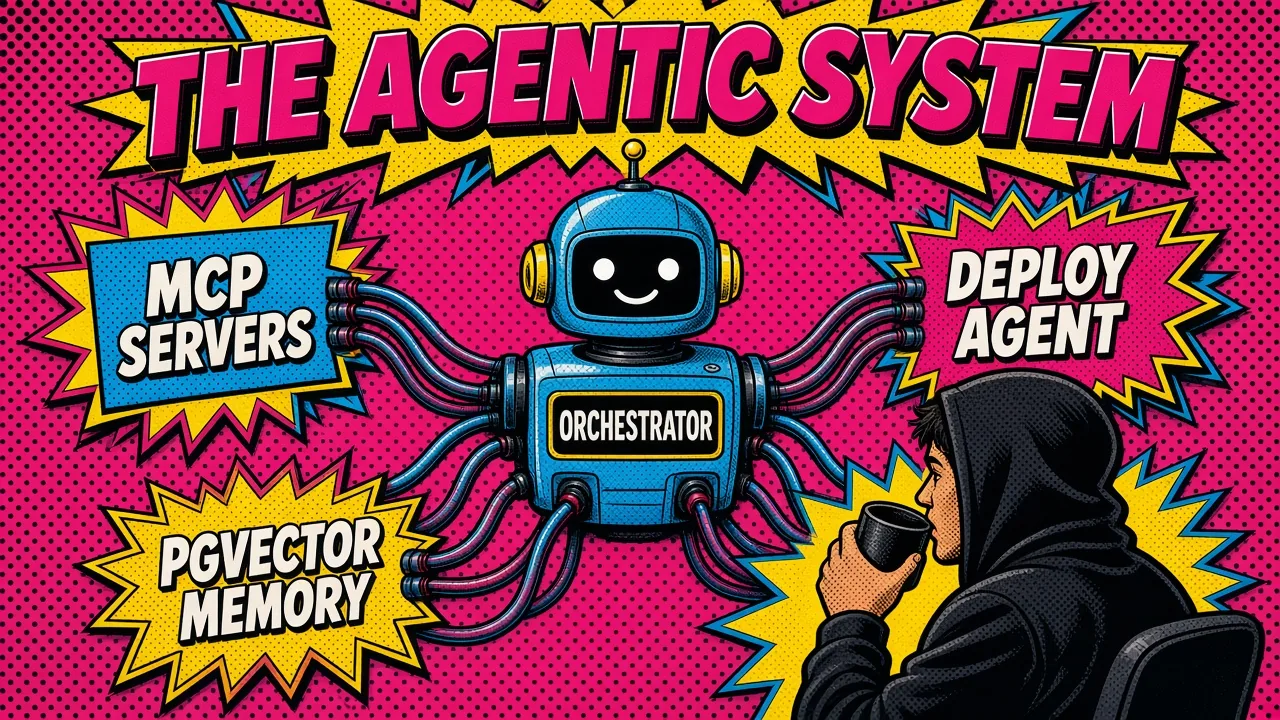
Level 50 is the Model Context Protocol. MCP lets agents connect to real tools: the Shopify Admin GraphQL API, your database, your cloud infrastructure.
It’s the same plumbing behind agentic commerce on Shopify, pointed at your own workflow instead of at a shopper. An agent can watch incoming orders and adjust inventory according to rules you described in plain language, because it holds an actual connection instead of a description of one.
The Level 50 loop I actually run looks like this:
- Plan. You write a technical spec in markdown: scope, constraints, acceptance criteria.
- Execute. An agent reads the spec and generates the Laravel migrations, models, and controllers.
- Verify. A separate agent writes tests and runs them until they pass.
- Deploy. A deployment agent ships to a Coolify instance and tails the logs for errors.
You become the conductor. You own the what and the why; the agents grind through the how.
Why the separate verifier matters
The separation in step 3 matters more than it looks.
Two agents with different context catch what one agent rationalizes away.
That is why I stopped reading diffs line by line and moved to a multi-agent review pipeline, and why AI-generated code still needs its own test discipline.
Why manual coding feels slow now
Once you’ve run an agentic workflow, the friction of manual coding becomes physically annoying. Five-minute tasks feel like an eternity.
Hunting the correct GraphQL mutation shape for a Shopify app feels absurd when an agent with schema access resolves it in two seconds.
The addiction isn’t to the tool. It’s to flow. AI removes the micro-frictions that shatter concentration: the doc lookup, the typo, the forgotten import, the “wait, what’s this method called again.” You stay in a high-level creative state for longer stretches, so you solve bigger problems.
It also quietly redefines what senior means. Not knowing every syntax detail from memory. Knowing how to decompose a system, and how to steer an AI into building it correctly. Builder to architect.
Practical steps to level up
You don’t drift into Level 50. You have to build the infrastructure for it.
1. Master MCP
Start with custom MCP servers for the tasks you repeat weekly. If you work on Shopify apps, expose a tool that queries your store’s Admin GraphQL API directly, and another that validates a mutation against the current schema version.
That single step kills most of the copy-paste in your day. Keep the surface small. Every extra tool is context tax and one more thing the agent can misuse.
2. Implement RAG over your codebase
Don’t rely on general knowledge for project-specific questions. Index your project.
If you’re running a Laravel SaaS, make sure the agent can retrieve your service-layer conventions and your event contracts, not just guess from app/. Storing documentation embeddings in pgvector is the cheapest long-term memory you’ll ever buy, and it lives in the Postgres you already run.
3. Use multi-agent orchestration
Stop thinking about one AI and start thinking about a team. Planner, implementer, reviewer.
Separation of concerns produces better code and fewer hallucinations, for the same reason it does with humans: the reviewer isn’t emotionally invested in the plan.
4. Optimize for Shopify GraphQL
Shopify has moved on from REST for new development. Make sure your agents target the current GraphQL Admin API version and don’t reach for deprecated fields they memorized from a 2023 blog post.
Pin the API version explicitly in your prompts and your client. Schema drift is the single most common source of confidently wrong Shopify code.
// Example of a Laravel service using a Shopify GraphQL mutation.
// An agent writes the boilerplate; your spec dictates the contract.
public function updateProductInventory(string $inventoryItemId, int $newQuantity)
{
    $mutation = <<<'GRAPHQL'
    mutation inventorySetQuantities(
      $input: InventorySetQuantitiesInput!
      $idempotencyKey: String!
    ) {
      inventorySetQuantities(input: $input) @idempotent(key: $idempotencyKey) {
        inventoryAdjustmentGroup {
          createdAt
          reason
          changes {
            name
            delta
            quantityAfterChange
          }
        }
        userErrors {
          code
          field
          message
        }
      }
    }
    GRAPHQL;

    $variables = [
        'idempotencyKey' => (string) \Illuminate\Support\Str::uuid(),
        'input' => [
            'name' => 'available',
            'reason' => 'correction',
            // Required on current Admin API: compare-and-set. null skips the check.
            'quantities' => [
                [
                    'inventoryItemId' => $inventoryItemId,
                    'locationId' => config('shopify.default_location_id'),
                    'quantity' => $newQuantity,
                    'changeFromQuantity' => null,
                ],
            ],
        ],
    ];

    return $this->shopifyClient->query($mutation, $variables);
}
What schema drift breaks
Two details in there are exactly the kind of thing schema drift breaks.
The @idempotent directive arrived as optional in API version 2026-01 and became required in 2026-04. Any agent working from a 2024 blog post will emit this mutation without it and get rejected outright.
Worse, a model that half-remembers the shape will reach for inventorySetQuantity (singular), which isn’t a mutation in the current schema at all.
And note userErrors. Shopify returns a 200 with a populated userErrors array for most business-rule failures, so an agent that only checks HTTP status will report success on a write that silently did nothing.
Bake both rules into your spec once and every generated mutation inherits them.
Key takeaways
- Start small, aim high. Level 1 prompts are a doorway, not a destination. The value lives in the loops.
- Context is king. RAG and pgvector give the model specific knowledge of your codebase and business rules instead of internet averages.
- Embrace MCP. Real tool connections (Shopify GraphQL, your database, your infrastructure) beat pasted screenshots every time.
- Split the agents. Whoever writes the code should not be the only one grading it.
- Standardize the loop. Plan, execute, verify, deploy. The structure is what keeps quality from collapsing as speed goes up.
- Focus on architecture. As implementation gets cheap, your value moves to design, constraints, and judgment.
The hardest part of AI coding isn’t the learning curve. It’s realizing you can’t go back. You’ve tasted a different level of efficiency and the old way now looks like manual labor.
This isn’t about replacing yourself. It’s about amplifying yourself until you’re doing the work of a team.
If you want to compare agent stacks, get in touch.
How are you structuring your AI coding workflow beyond simple chat prompts?