Shipping software is hard.
You build an app that works perfectly on your machine, but the moment it hits production, everything breaks.
This “it works on my machine” syndrome is exactly why understanding the difference between Docker vs Kubernetes is essential for modern engineers.
Environment inconsistencies create friction, delay releases, and lead to late-night debugging sessions that could have been avoided with the right tooling.
The gap between local development and production scale is wide. One tool packages your application into a portable box; the other manages a fleet of those boxes across a cluster of servers.
If you are shipping modern web or e-commerce applications, you eventually need both, and knowing where each one stops saves you a lot of wasted effort.
The container revolution with Docker
Docker changed how we think about software delivery by introducing the concept of containerization.
A container is a lightweight, standalone package that includes everything needed to run an application. This includes the code, runtime, system tools, libraries, and settings.
When you use Docker, you are essentially creating an immutable image of your software. This image behaves exactly the same whether it is running on your laptop, a colleague’s machine, or a staging server.
It eliminates the need to manually configure environments, which is a major win for developer productivity.
One host at a time
Docker operates on a single-host level. It manages the lifecycle of individual containers. You use the Docker CLI to build, run, and stop these containers.
For many small-scale projects or early-stage startups, Docker on a single VPS is often enough. In fact, tools like Coolify for Docker SaaS hosting have made it easy to manage these deployments without needing a massive orchestration layer.

Understanding Kubernetes orchestration
If Docker is about the container, Kubernetes is about the cluster. Kubernetes, often abbreviated as K8s, is an open-source platform designed to automate the deployment, scaling, and management of containerized applications.
It does not compete with Docker. Docker builds the image; Kubernetes schedules and runs it at scale through whatever container runtime sits on each node.
Imagine you have a high-traffic Shopify app that suddenly experiences a surge in users. Managing fifty individual Docker containers across five different servers manually would be a nightmare.
You would have to track which server has space, handle load balancing, and manually restart any container that crashes.
Desired state
Kubernetes handles this automatically. It uses a declarative approach where you define the “desired state” of your system in YAML files.
The Kubernetes control plane then keeps the actual state matching what you declared. If a container dies, Kubernetes restarts it. If a node fails, it reschedules the work elsewhere.

Docker vs Kubernetes: key technical differences
Comparing Docker vs Kubernetes is not about choosing one over the other. They operate at different layers of the stack.
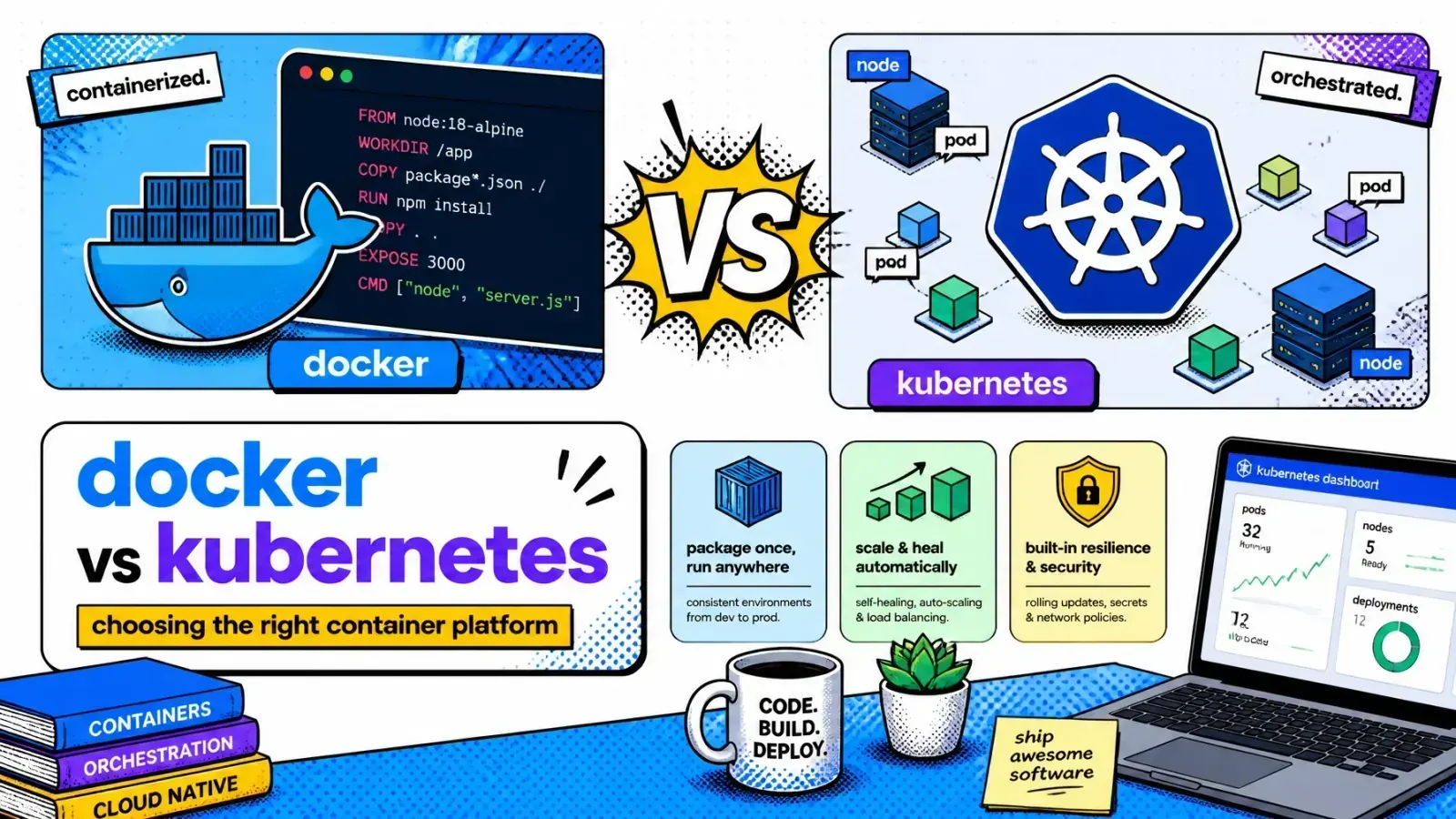
Docker is the runtime that builds and runs the container. Kubernetes is the orchestration layer that schedules those containers across a network.
| Feature | Docker | Kubernetes |
|---|---|---|
| Primary goal | Containerizing an application | Managing a cluster of containers |
| Scaling | Manual scaling on a single host | Automated horizontal scaling |
| Self-healing | Restart policies, single host | Probe-based restarts and rescheduling |
| Networking | Basic host-level networking | Advanced cluster-wide networking |
| Complexity | Low to medium | High |
If the unit of scheduling is new to you, it helps to understand the difference between a container and a pod before you reach for orchestration.
How they work together in production
In a professional DevOps workflow, Docker and Kubernetes are teammates. The process usually starts with a Dockerfile.
You build a Docker image and push it to a private container registry. This image is your “source of truth” for the application.
Next, you create Kubernetes manifests. These files tell the cluster which image to use, how many replicas are needed, and what environment variables to inject.
When you apply these manifests, the kubelet on each node calls the container runtime to pull the image and start the container.
The dockershim caveat
One caveat that trips people up: since version 1.24, Kubernetes removed dockershim, so it no longer talks to Docker Engine directly. Nodes now run a CRI-compliant runtime such as containerd or CRI-O.
The image you built with Docker still runs fine because it follows the OCI image spec, but Docker Engine itself is no longer the thing executing it.
Rolling updates
Together, the two make updates smooth. You can perform rolling deployments where Kubernetes replaces old pods with new ones in a controlled rollout. This keeps the service available throughout.
If the new version has a bug, Kubernetes stops the rollout when health checks fail, and one command (kubectl rollout undo) takes you back to the previous stable image.
Choosing the right path for your project
Not every project needs the overhead of Kubernetes. If you are an entrepreneur or a small team building a simple web application, starting with Docker Compose or a self-hosted SaaS platform might be more efficient.
It allows you to ship fast without managing a complex cluster.
However, if your business requires high availability, handles massive amounts of data, or uses a microservices architecture, Kubernetes is the industry standard.
It provides the horizontal scaling needed to grow from a few hundred users to millions without changing your core infrastructure.
Shopify at scale
Shopify itself is a good example of the payoff: its platform runs on Kubernetes across hundreds of clusters on Google Kubernetes Engine, autoscaling stateless workloads to absorb the brutal traffic spikes of Black Friday and Cyber Monday.
Most merchants never touch that layer because Shopify owns it. But if you are building custom apps or your own infrastructure at that scale, the ability to declare capacity and let the cluster reconcile it is the competitive advantage that outweighs the setup complexity.
Docker on one VPS
Kubernetes cluster
Key takeaways
- Docker is for creating, packaging, and running individual containers on a host.
- Kubernetes is for orchestrating and managing fleets of containers across a cluster of servers.
- Synergy: You use Docker to build the images and Kubernetes to deploy and scale them.
- Scale matters: Small projects should stick to Docker to avoid unnecessary complexity. Enterprise-grade apps require Kubernetes for self-healing and autoscaling.
- Declarative power: Kubernetes uses YAML to maintain a desired state, making infrastructure management more predictable.
If you’re weighing that jump right now, here’s how I help teams get the call right.
At what stage of growth did your infrastructure move from a single server to a distributed cluster?