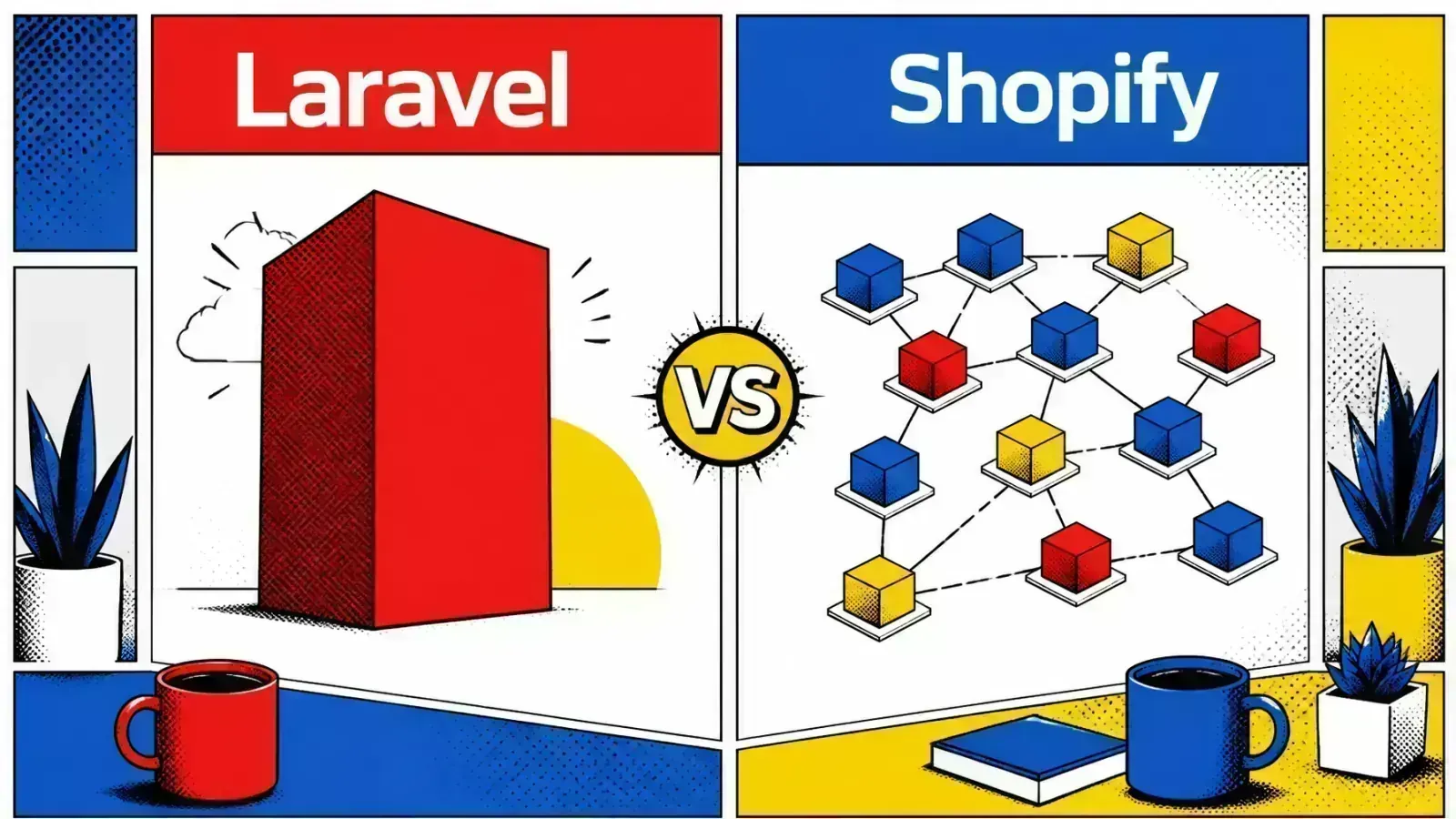
Microservices are not the default goal. For most Laravel and Shopify teams, a well-structured monolith ships faster and costs less.
Complexity is the silent killer of engineering velocity. You start with a clean codebase and a clear vision.
Within months, your deployment times have doubled and your team is tripping over each other’s pull requests. You face the classic crossroads: monolith vs microservices.
The cost of choosing wrong
Choosing the wrong path early can lead to catastrophic technical debt, or operational overhead that drains your budget before you find product-market fit.
Resist the default
In modern web development, especially with Laravel or Shopify, the pressure to adopt microservices is huge. The industry often treats distributed systems as the default goal.
For many businesses, a well-structured monolith is both the starting point and the most efficient way to scale. Here is the engineering behind both patterns, to help you decide for your next project on Google Cloud or AWS.
Defining the monolithic architecture
A monolithic architecture is a unified software model where all components are interconnected and interdependent.
In Laravel, your routes, controllers, models and background jobs live in one repository. It is a single deployable unit: when you push code, the whole application is built and shipped to your server or container.
Why simple wins
Monoliths are often unfairly called “legacy.” In reality, they offer big advantages for rapid development.
All modules share the same memory space and database, so communication between parts of the system is nearly instant. No network latency, API versioning or complex distributed transactions. For a Shopify app or a custom web solution, that simplicity means faster shipping.
The benefits of a single codebase
- Simplified deployment: you need only one CI/CD pipeline. Whether you use GitHub Actions to deploy to a Docker-based host or a VPS, the process stays straightforward.
- Cross-cutting concerns: authentication, logging and caching are easier when they are central. You don’t replicate them across multiple services.
- End-to-end testing: testing the whole user journey is simpler because you can run the full stack on one machine without complex orchestration.
The microservices shift
Microservices break the application into small, independent services that talk over a network. Each focuses on one business domain, such as billing, user management or inventory.
They are often containerized with Docker and managed by orchestrators like Kubernetes or Google Kubernetes Engine (GKE).
Team autonomy
The main drivers are scalability and team autonomy. When your team grows beyond 15 or 20 developers, a monolith can become a bottleneck.
Microservices let different squads own parts of the system. One team updates the billing service in Go while another updates the Shopify sync engine in PHP, and a bug in one service is less likely to take down the whole application.
When to consider microservices
- Independent scaling needs: if your Shopify webhook processing needs heavy CPU but your admin dashboard is lightly used, microservices let you scale only the heavy parts.
- Technology diversity: you might need a Python service for AI-driven RAG systems while keeping your core business logic in Laravel.
- Fault isolation: a crash in the reporting service should not stop customers from checking out.

Monolith vs microservices: comparing the trade-offs
The choice is always a trade-off between simplicity and flexibility. There is no silver bullet: you weigh operational cost against developer experience.
| Feature | Monolith | Microservices |
|---|---|---|
| Operational complexity | Low | High |
| Development speed | Fast (early stage) | Slow (early stage) |
| Scalability | Vertical / horizontal (whole) | Independent per service |
| Data consistency | Strong (ACID) | Eventual consistency |
| Network latency | Minimal | Significant (API hops) |
| Testing | Simple | Complex distributed testing |
The hidden cost of distribution
Microservices add a “network tax.” Every call from one service to another adds latency, and you must handle partial failures.
If the user service is down, how does the order service react? Patterns like circuit breakers and retries become mandatory. That is code with nothing to do with your business logic: pure infrastructure overhead.
Laravel and Shopify context
For most Shopify development or Laravel projects, the “Majestic Monolith” is the better choice.
Shopify gives you a solid platform-as-a-service (PaaS) foundation. Your backend’s main job is often to handle OAuth, process webhooks and manage a custom database.
The distributed monolith
Splitting a Shopify app into microservices too early often leads to “distributed monolith” syndrome: the complexity of microservices with components that are still tightly coupled.
If you cannot deploy Service A without also deploying Service B, you have missed the benefits of the architecture. You have only added network latency and deployment pain.
Cloud strategy on GCP
Google Cloud Platform (GCP) has good tools for both patterns.
Monolith on Cloud Run
For a monolith, Cloud Run is a strong choice. It hides server management and scales your container based on request traffic. It is cost-effective because you only pay when your code is running.
Microservices with Pub/Sub
For microservices, you might use GKE or a set of Cloud Run services connected through Pub/Sub. That gives you asynchronous communication.
When a Shopify order is created, the “Order Service” publishes an event to Pub/Sub. The “Shipping Service” and “Email Service” both listen for it and act independently.
This architecture is capable, but it needs real investment in observability tools like Cloud Logging and Cloud Trace to debug issues across service boundaries.
The hybrid approach: modular monolith
You don’t have to choose between a “big ball of mud” and a complex mesh of services. The modular monolith is an effective middle ground.
You keep a single codebase and database, but you strictly enforce boundaries inside the code.
Boundaries in Laravel
In Laravel, this means separate namespaces or even local packages for different domains. Your “Billing” code should not call the “Inventory” models directly. It should use internal interfaces or events.
You get the deployment simplicity of a monolith while making it easy to extract a module into a standalone microservice later.
Big ball of mud
Modular monolith

Defer the decision
I go deeper on the mechanics (contracts, schema-per-module and the friction signals that justify a split) in modular monoliths first. “Deferred decision making” is often the wisest move in software engineering.
When the time comes to carve a module out, my guide on going from monolith to microservices walks through the strangler-fig migration step by step.
Key takeaways
- Start with a monolith. Unless you are building for a large organization with multiple teams, microservice overhead will slow you down.
- Enforce boundaries early. A modular structure inside your monolith prevents spaghetti code and keeps future scaling possible.
- Use managed services. GCP Cloud Run for hosting and Cloud SQL for your database keep the DevOps burden low.
- Scale components before splitting apps. Use queues (Laravel Horizon) and background workers for heavy tasks before moving to full microservices.
- Monitor and trace. Whatever the architecture, invest in central logging and performance monitoring to find bottlenecks before users feel them.
If you’re weighing a split, here’s how I help Laravel and Shopify teams choose between a modular monolith and services.
Are you finding that your current monolithic deployment is hitting performance ceilings that vertical scaling can no longer solve?