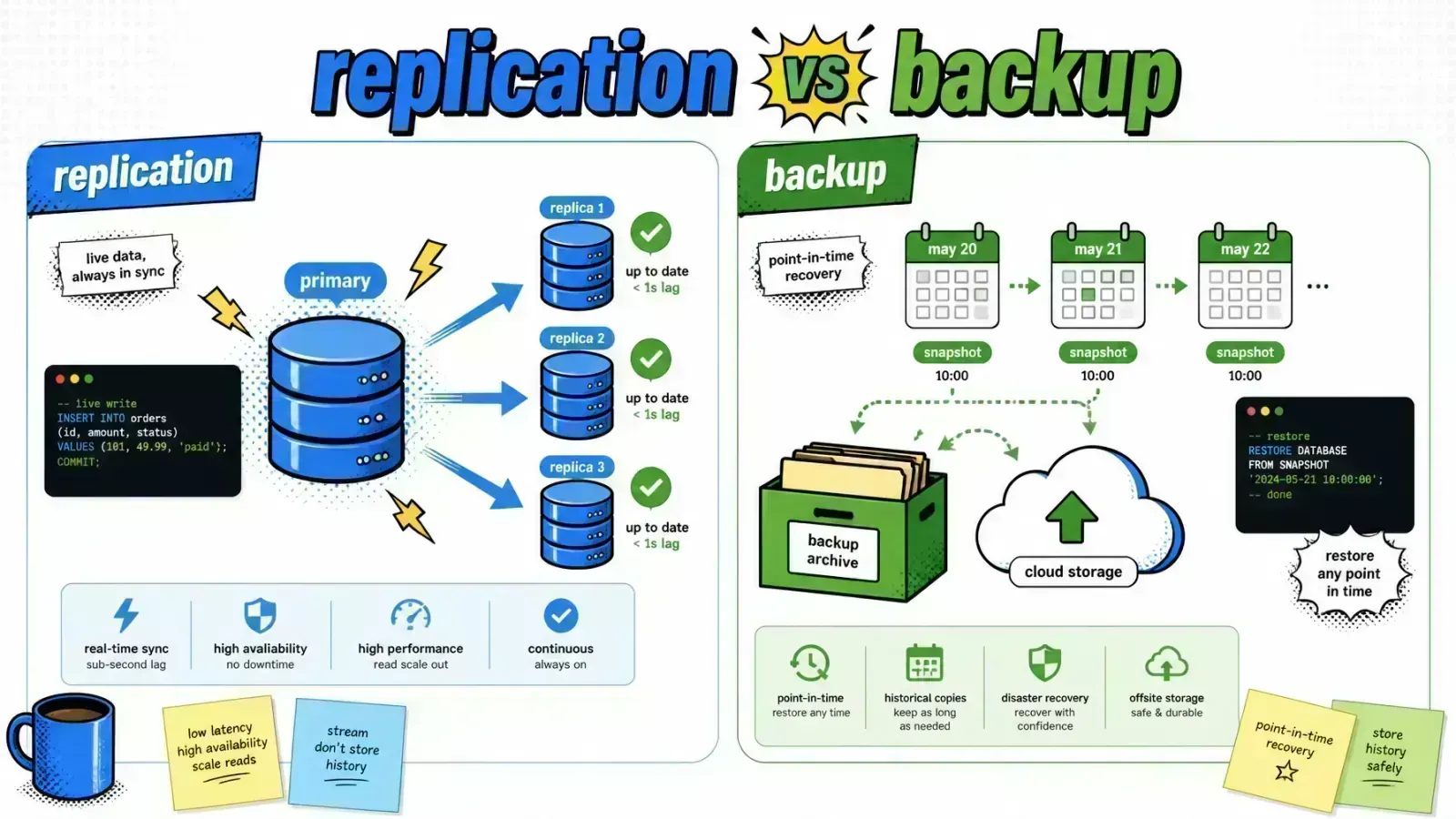
Replication copies your data everywhere in milliseconds, including the mistake that just deleted it. Only a backup lets you go back in time.
You deploy a breaking database migration that drops a critical column. Your production database replicates in real time to three nodes across two regions.
Within milliseconds, that destructive change reaches every one of your “safety” copies. You have zero downtime, and that column is gone from every copy.
Engineering teams often confuse high availability with data durability. Both matter, but they solve different problems.
Replication protects you from hardware failure and latency. Backups protect you from logic errors, corruption, and human mistakes.
If you are building a Laravel application or a high-volume Shopify Plus integration, knowing where one ends and the other begins is the difference between a minor incident and a company-ending event.
The fundamental trade-off: speed vs history
Replication is about continuity. Its goal is that if your main database server vanishes, a secondary node is ready to take over immediately.
This is measured in Recovery Time Objective (RTO). In a well-tuned system, failover happens in seconds. You are mirroring every INSERT, UPDATE, and DELETE as they happen.
Backups are history
Backups are about recovery. Their goal is a safe version of your data from a specific point in history.
If a bug corrupts your inventory levels at 2:00 PM, a backup from 1:00 PM is your only lifeline. Backups are usually stored as compressed snapshots on detached storage like Amazon S3 or Google Cloud Storage.
| Feature | Replication | Backup |
|---|---|---|
| Primary Goal | High Availability (HA) | Disaster Recovery (DR) |
| Data State | Real-time / Live | Historical / Snapshot |
| Propagation | Immediate (including errors) | None (isolated from live changes) |
| Storage Cost | High (hot, identical hardware) | Low (cold, compressed snapshots) |
| Recovery Speed | Seconds to Minutes | Minutes to Hours |
Why replication faithfully mirrors your mistakes
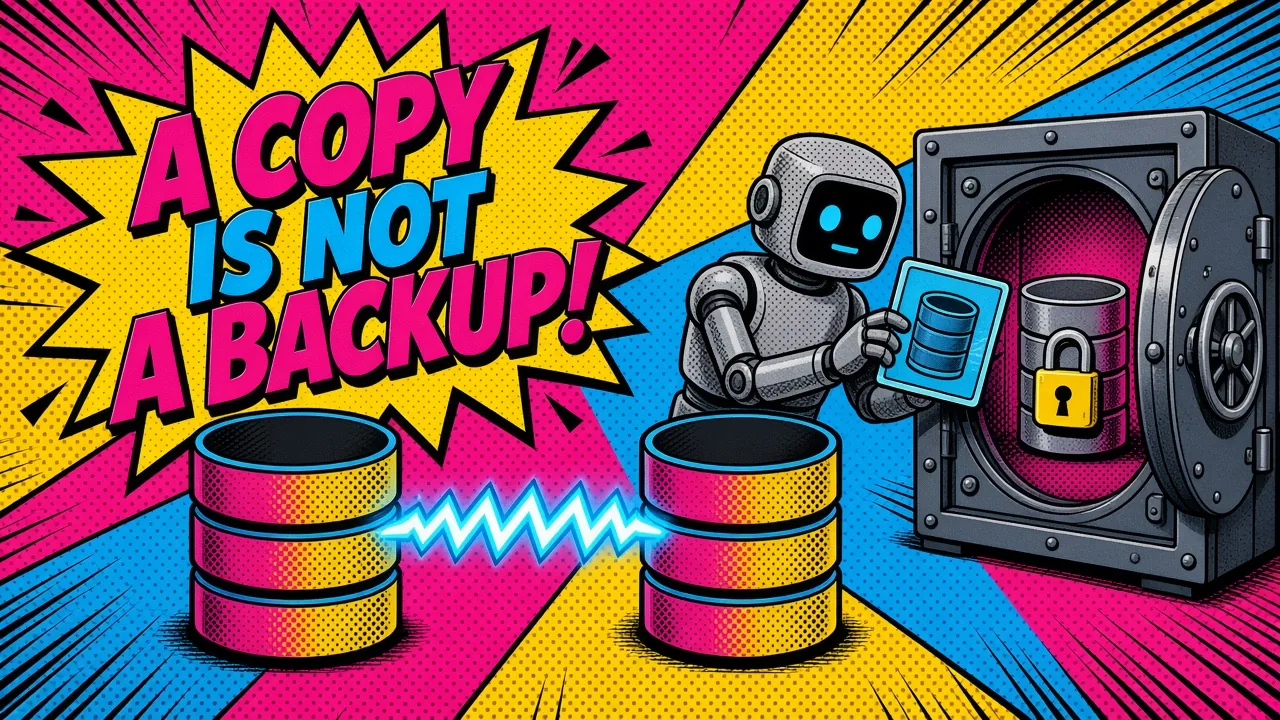
The greatest strength of replication is also its greatest weakness. It is designed to be a mirror.
If you run a truncate command on your primary database, the replication protocol assumes it was intentional. It will purge that data from your replicas before you can even hit “Ctrl+C” in your terminal.
A real failure
I have seen developers rely solely on RDS Read Replicas as their “safety net.” When a rogue queue job began overwriting customer email addresses with null values, the replicas updated instantly.
Without a point-in-time backup, those original emails were gone forever. Replication provides infrastructure resilience, not data integrity.
Separate the two jobs
For a production-grade Coolify self-hosted SaaS, you must separate your concerns.
Use replication to scale your reads and handle node failures. Use automated, encrypted backups so you can roll back to a known-good state.
Implementing replication in Laravel
Laravel handles read/write splitting through native configuration. By defining read and write connections in your config/database.php, the framework automatically routes SELECT statements to your replicas while sending INSERT and UPDATE statements to the primary.
This is the same connection layer you tune when designing a multi-tenant Laravel architecture.
'mysql' => [
    'read' => [
        'host' => [
            '192.168.1.10', // Replica 1
            '192.168.1.11', // Replica 2
        ],
    ],
    'write' => [
        'host' => [
            '192.168.1.1', // Primary
        ],
    ],
    'sticky' => true,
    'driver' => 'mysql',
    // ... other settings
],
Why sticky matters
The sticky option is important here. If you write a record during a request, any later reads during that same request come from the primary.
This avoids “read-after-write” lag, where a replica is a few milliseconds behind the primary and your application looks as if the data vanished.
Shopify Plus and the sync fallacy
In the world of Shopify Plus, many developers build “replication-style” sync engines. They listen for orders/create or products/update webhooks and mirror that data into a local Laravel database.
This is a useful pattern for custom reporting or complex agentic commerce workflows.
The sync deletes too
However, this local database is often mistaken for a backup. If an admin deletes a collection of products in the Shopify admin panel, Shopify fires a webhook.
Your Laravel app receives that webhook and promptly deletes those products from your local DB to stay “in sync.”
Sync only
Sync plus history
Build real history
If you do not have a separate backup strategy that creates daily snapshots of your local DB, your local data is just as ephemeral as the live Shopify data.
To build true resilience, store historical JSON payloads of those Shopify resources in a versioned storage system like S3. This lets you reconstruct your state even if the live sync deletes everything.
Cloud infrastructure and the cost of availability
Managing replication by hand is a DevOps nightmare. For most Laravel applications, managed services like AWS RDS or Google Cloud SQL are the correct move. They handle the binary log replication, failover orchestration, and monitoring out of the box.
Multi-AZ is not a read replica
When configuring your cloud DB, you will see “Multi-AZ” (AWS) or “High Availability” (GCP) settings.
A single-standby Multi-AZ deployment uses synchronous replication. It roughly doubles your database cost, because you run a standby instance in a second Availability Zone that does nothing but wait for the primary to die.
This standby cannot serve read traffic. To scale reads you need separate read replicas (or RDS Multi-AZ DB clusters), not the HA standby.
Backups are cheap, testing is not
Backups, by contrast, are very cheap. Storing 500GB of compressed dumps in S3 Standard costs roughly $11 to $12 a month. Archival tiers like Glacier Deep Archive drop that to around 50 cents, at the cost of multi-hour retrieval.
The cost of a backup is not in the storage; it is in the testing. A backup that has never been restored is just a collection of random bits. You must automate your restore tests.
Time the download too: my transfer time calculator shows how long 500GB takes on your link.
I recommend using Coolify and Docker to spin up ephemeral environments where you can test your backup restoration process regularly without touching production.
Key takeaways
- Replication is for uptime. It allows your app to stay online during hardware failures or network partitions.
- Backups are for survival. They are your only defense against data corruption, malicious attacks, and developer errors.
- Replication propagates bugs. If your code breaks the data, the replica will break just as fast.
- Laravel supports read/write splitting. Use the
stickyconfiguration to prevent consistency issues during web requests. - Shopify webhooks are not backups. A synchronized local database is a replica, not a historical record.
- Test your restores. Automate a process to verify that your backup snapshots actually work.
If you’re architecting that resilience layer for production, here’s how I help teams ship it.
If you had to choose between a system with 99.99% uptime but no backups, and a system with 95% uptime but hourly backups, which one would keep you from losing your business?